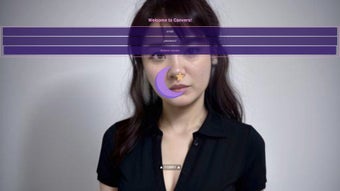

Download Eva circul – AI visual content generator, free, secure, cross‑platform
Overview
Eva circul, crafted by the innovative team at circul, is a web‑based artificial‑intelligence powerhouse that transforms the way creators produce visual media. Whether you’re a marketer looking to spice up a campaign, a filmmaker needing quick storyboards, or a hobbyist eager to experiment with AI‑driven art, Eva circul delivers a suite of tools that turn simple inputs into polished visual outputs. The platform’s core strength lies in its versatility: it supports “Image to Video,” turning static pictures into animated sequences; “Face to Image,” which re‑imagines facial features in new contexts; “Pose to Image,” enabling the generation of characters from skeletal poses; “Image to Image,” a seamless style‑transfer engine; and “Text to Image,” where descriptive sentences become vivid illustrations.
In addition to visual generation, Eva circul offers multilingual voice‑over options for narration, avatar creation tools for virtual presenters, and a pose‑modeling sandbox for experimenting with character dynamics. All of this runs in the browser, meaning no heavy downloads, automatic updates, and secure cloud processing that protects your data. Because the service is delivered via HTTPS and encrypted at‑rest, you can trust that proprietary assets remain confidential.
Whether you work on Windows, macOS, Android, or iOS, Eva circul’s responsive design adapts to your screen, providing a consistent, lag‑free experience that feels native on every device. The combination of zero‑install convenience, cross‑platform reach, and a constantly expanding AI model library makes Eva circul a compelling choice for anyone who wants to generate high‑quality visual content without the overhead of traditional software.
Key Features & Capabilities
Eva circul’s feature set is deliberately broad, targeting both quick‑fire creative bursts and more involved production pipelines. Each module is built on state‑of‑the‑art diffusion models that have been fine‑tuned for speed and fidelity, ensuring that the output meets professional standards while keeping rendering times short. Below is a detailed list of the most important capabilities, each accompanied by a brief description of how it can be applied in real‑world scenarios.
- Image to Video – Convert any high‑resolution photo into a short, looping video with motion effects, transitions, and optional background music. Ideal for social‑media teasers or dynamic product showcases.
- Face to Image – Upload a portrait and let the AI generate stylized portraits, caricatures, or entirely new characters while preserving facial identity. Perfect for branding assets or personalized avatars.
- Pose to Image – Import a skeleton pose (JSON or simple drawing) and receive a fully rendered figure in any artistic style you select. Useful for concept‑art pipelines and character design.
- Image to Image – Perform style transfer, color correction, or background replacement instantly, perfect for rapid prototyping and iterative design work.
- Text to Image – Type a detailed prompt and watch the AI paint a scene, product mock‑up, or abstract artwork that matches your description. Great for mood‑boards and visual brainstorming.
- Multilingual Voice Narration – Add AI‑generated voice‑overs in over 30 languages, with adjustable tone, speed, and emotion. This feature streamlines the creation of explainer videos for global audiences.
- Avatar Design Studio – Build custom avatars for presentations, streaming, or VR, complete with facial expressions and pose libraries. Exportable in industry‑standard formats for immediate integration.
- Real‑time Collaboration – Share projects via secure links, allowing teammates to edit or comment without leaving the browser. Collaboration histories are saved automatically.
- Secure Cloud Processing – All media is processed on encrypted servers; no local installation means reduced risk of malware and zero footprint on user devices.
- Automatic Updates – New models and features roll out weekly, ensuring you always have the latest AI capabilities without manual patches.
Because each feature is accessed through a unified dashboard, you can switch between modules without learning new interfaces. The underlying architecture also supports batch processing, allowing power users to queue multiple jobs and retrieve results in a single download package. Whether you’re a solo creator or part of a larger team, these capabilities collectively form a robust toolbox for any visual‑content workflow.
Getting Started: Installation, Usage & Compatibility
Installation – No Download Required
Eva circul is a true SaaS solution. To start, visit eva.circul.com and create a free account using your email or a social login (Google, Apple, or Facebook). After confirming your email, you’ll be taken to the dashboard where the main workspace loads instantly. Because the engine runs on cloud GPUs, there’s nothing to install on your device, which means faster onboarding and lower hardware demands. The platform also supports single‑sign‑on (SSO) for enterprise customers, making it easy to integrate with existing identity providers.
Step‑by‑Step Usage Guide
- Select a Module – Choose from the left‑hand toolbar (Image to Video, Text to Image, etc.). Each module presents a concise input form with contextual help.
- Upload or Type Your Input – Drag‑and‑drop images, paste text prompts, or import pose files (BVH or JSON). The interface validates file types and size limits (max 100 MB per file) and provides instant previews.
- Configure Settings – Adjust parameters such as resolution (720p‑4K), style presets (cinematic, sketch, neon), and duration for video outputs. Advanced users can tweak seed values for reproducibility.
- Generate – Hit “Render”. The AI queues your job on the cloud; you can monitor progress via a live status bar. Typical render times range from 5 seconds for simple images to 30 seconds for short videos, with priority rendering available for premium accounts.
- Export & Share – Once complete, download the result in your preferred format (MP4, PNG, JPG, GIF) or share a secure link directly from the platform. Export options include lossless PNG for print‑ready assets and optimized WebP for web use.
Compatibility – Supported Operating Systems
- Windows 10, 11 (any modern browser – Chrome, Edge, Firefox)
- macOS 12 Monterey and later (Safari, Chrome, Firefox)
- Linux distributions with recent Chromium‑based browsers
- Android 9+ (Chrome or Firefox mobile)
- iOS 13+ (Safari or Chrome)
The responsive UI automatically adapts to touch input on mobile devices, allowing you to generate visuals on the go. Because all heavy computation happens server‑side, even low‑end smartphones can produce high‑quality results without draining battery or overheating. For corporate environments, Eva circul also offers a VPN‑compatible endpoint, ensuring compliance with strict network policies.
Pros, Cons, FAQ & Detailed Review
Pros
- Web‑based – No installation, instant access from any device.
- Wide range of generation modules covering images, video, text, and avatars.
- Multilingual voice‑over expands accessibility for global audiences.
- Secure cloud processing protects local data and reduces malware risk.
- Free tier offers generous daily quotas; premium plans add higher resolution and priority rendering.
- Real‑time collaboration streamlines teamwork across locations.
Cons
- Reliance on internet connection; offline use is not possible.
- Complex prompts may require iteration to achieve desired results.
- Free tier imposes watermarks on exported media.
- Advanced style‑transfer models consume more credits, which can increase costs for heavy users.
- Export limits for the free plan can be restrictive for large‑scale projects.
Frequently Asked Questions
Is Eva circul really free to use?
Yes, Eva circul offers a free tier that allows up to 20 image generations and 5 short video renders per day. Premium subscriptions remove watermarks and increase quota limits.
Can I use Eva circul for commercial projects?
Absolutely. The commercial license is included in paid plans, granting you the right to sell or distribute the generated media without attribution.
What file formats are supported for input and output?
Input images accept PNG, JPG, and BMP up to 100 MB. Video outputs are MP4 (H.264) and GIF for short loops. Images can be downloaded as PNG or JPG, and avatars are provided as GLB for 3‑D use.
How secure is my data on Eva circul’s servers?
All uploads are encrypted with TLS 1.3 during transit and stored in encrypted at‑rest containers. Files are automatically deleted after 48 hours unless you choose to keep them in your private library.
Do I need a powerful GPU on my computer?
No. Since the heavy AI inference runs on circul’s cloud GPUs, even a modest laptop or tablet can generate high‑quality results. The only requirement is a stable internet connection.
In‑Depth Review
Overall Rating: 4.7/5
Eva circul delivers an impressive suite of AI‑driven visual tools that work entirely in the browser. The free tier is generous enough for hobbyists, while the premium options unlock high‑resolution outputs suitable for commercial projects. Its multilingual voice‑over and avatar studio set it apart from competitors, and the real‑time collaboration feature makes it a solid choice for distributed teams. The primary drawbacks are its dependence on an internet connection and the presence of watermarks on free exports, but these are common trade‑offs for cloud‑based AI services. Overall, the platform strikes a strong balance between ease‑of‑use, feature depth, and security, making it a top recommendation for creators seeking a flexible, no‑install solution.
Conclusion & Call to Action
Eva circul stands out as one of the most flexible AI visual‑content platforms on the market today. Its browser‑first architecture eliminates the friction of downloads and updates, while the breadth of generation tools empowers creators of every skill level. Whether you need a quick storyboard, a stylized portrait for social media, or an animated explainer video with multilingual narration, Eva circul delivers fast, secure, and high‑quality results. For occasional users, the free tier provides ample room to experiment; professionals will appreciate the premium plans that unlock higher resolutions, priority rendering, and commercial licensing.
Ready to unleash AI‑powered creativity without the hassle of installations? Sign up for a free Eva circul account now and start turning your ideas into visual realities today.



.png)



